A week with Sunup.
Not a tour of modules. This is how the week actually goes, from setting up a season to closing the month's books.Not a tour of modules. This is how the week actually goes: setting up a season, a family registering, standing at the door on class day, the money, and the month's books.
Set it up once.
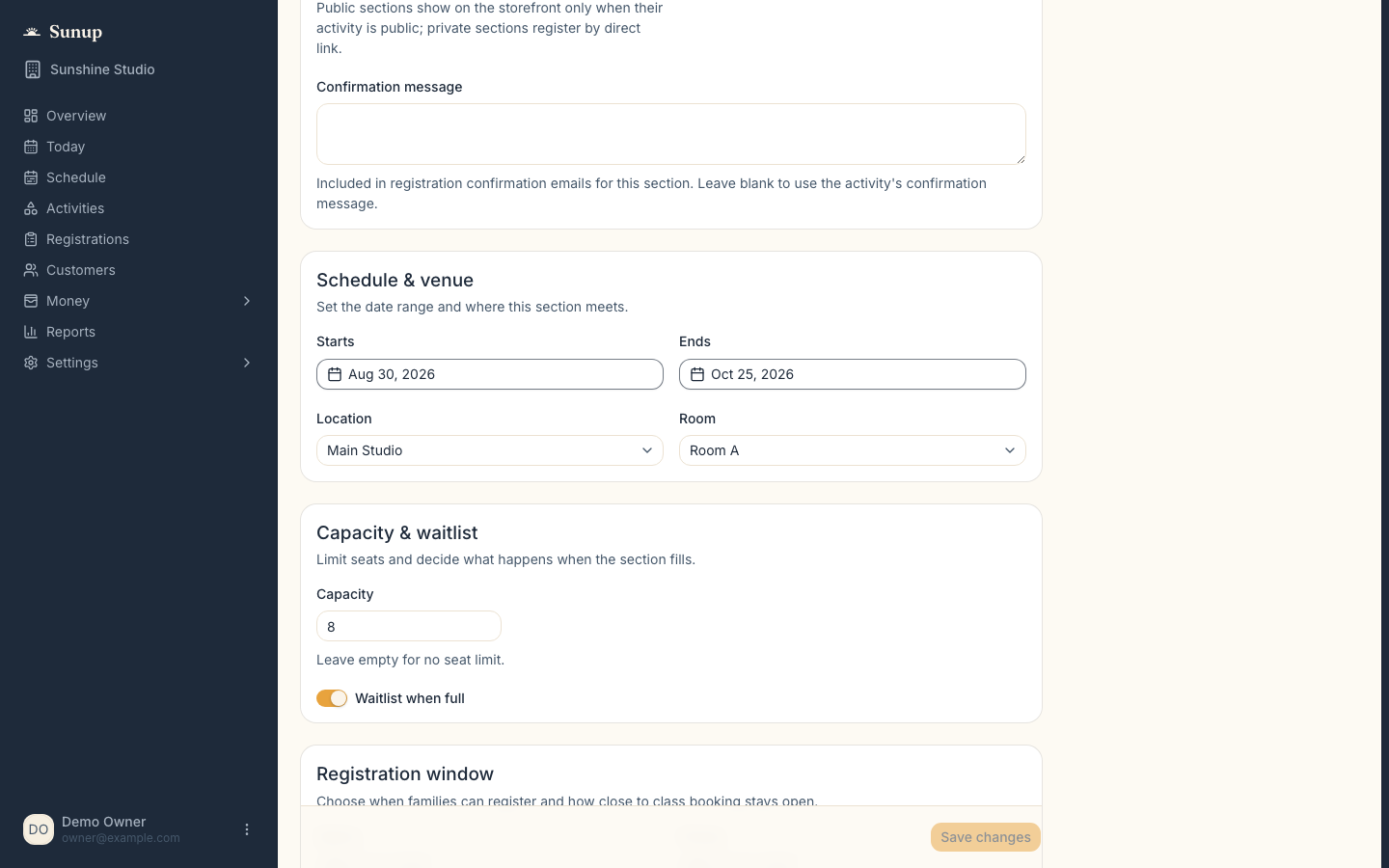
An activity holds what the program is. A section holds when it runs. Next season you copy them.An activity holds what the program is. A section holds when it runs. You set both once, and next season you copy them.
- Activities with public, private, or hidden visibility, a photo, and a confirmation message of your own
- Age ranges that either enforce or simply warn, plus reporting categories for later
- Sections with real dates, capacity, an ordered waitlist, registration windows, and a booking cutoff
- Early bird price, deposits, drop-in price, prorated late joins, series or drop-in enrollment
- Default requirements copied onto every class, so you never rebuild the same form
- Roles set once: owner, admin, manager, finance who sees money only, and instructor who sees just their assigned classes
A family registers.
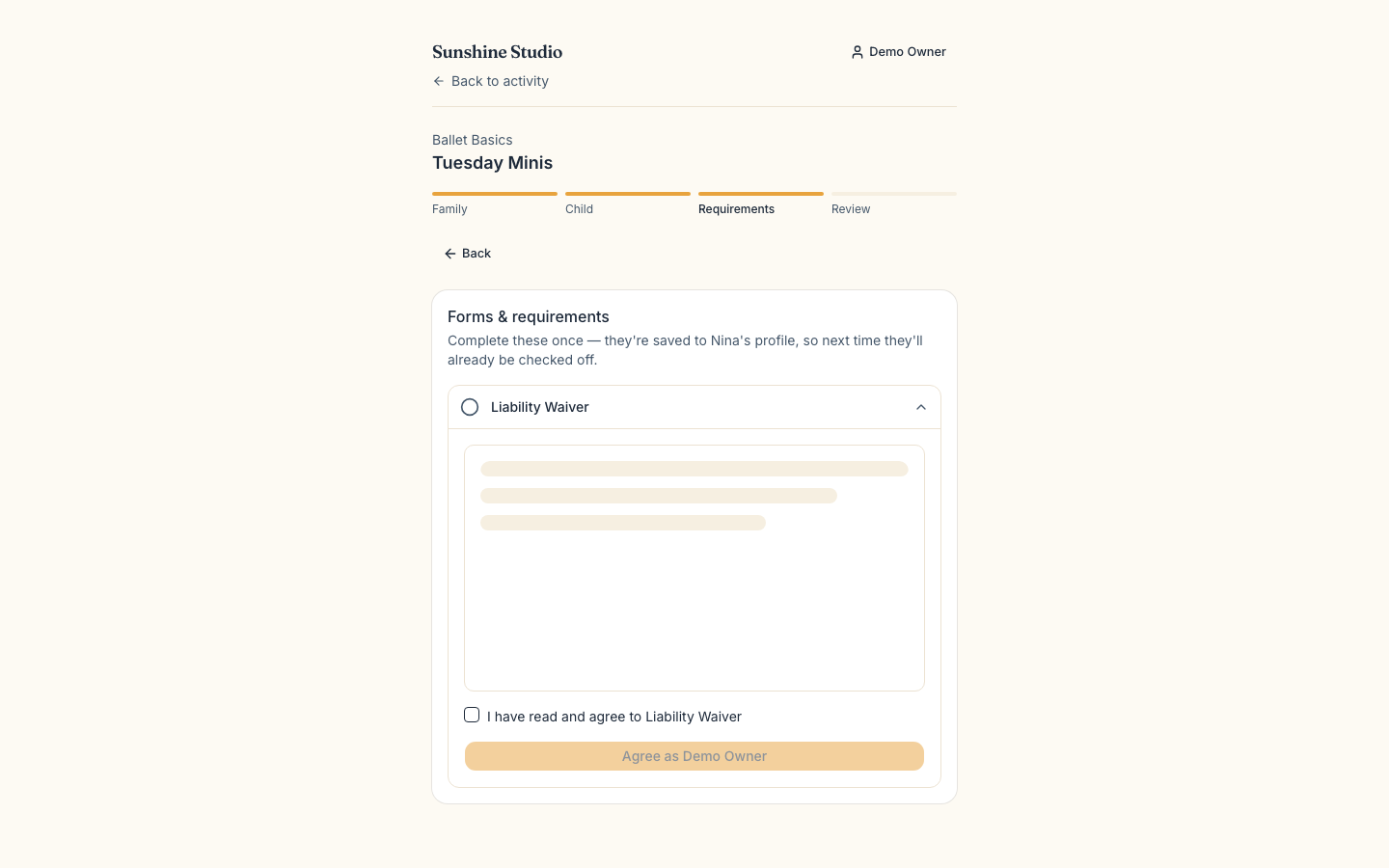
One account per household. Requirements are collected before the spot is theirs.One account per household. The requirements you set are collected before the spot is theirs, so the roster is complete before anyone walks in.
- One family account, shared by both parents — invite an adult, with per-child access
- Forms, versioned waivers, and contracts signed by typing a name
- Caregiver phone, emergency contacts, date of birth, allergy statement, pickup authorizations
- Nobody finishes registering without the requirements, and rosters flag anything still missing
- No overselling, even when two families go for the last seat. Held seats count
- Waitlist promotion is deliberate, and collects payment before the spot is confirmed
Class day, at the door.
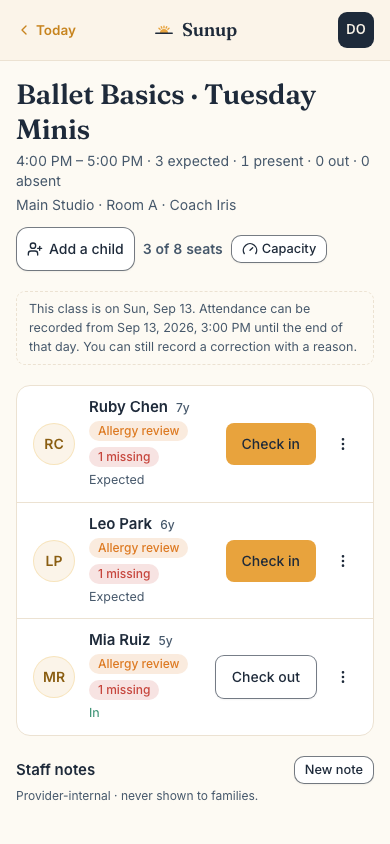
One screen: each class with its time, venue, staff, and roster count.The Today view is one screen: each class with its time, venue, staff, and roster count. You hold a phone in one hand and greet people with the other.
- Check in, check out, or mark absent from the row itself
- Chips appear only when something needs a look: allergies, outside age range, missing items
- Safety details sit behind a tap, and that tap is logged
- An existing family walking in is added in two taps
- A new family scans a QR code, registers on their own phone, answers the safety questions, pays the drop-in, and is on the roster in seconds — never skipping the waiver or the allergy answer
- Staff notes, incidents, and follow-ups with a resolve queue, instead of texts and sticky notes
- Change capacity for one session or for every class on a day, and a make-up carries a family over with their history kept
- Unstaffed classes and conflicts are flagged, so someone else can run the day if you are out
The money.
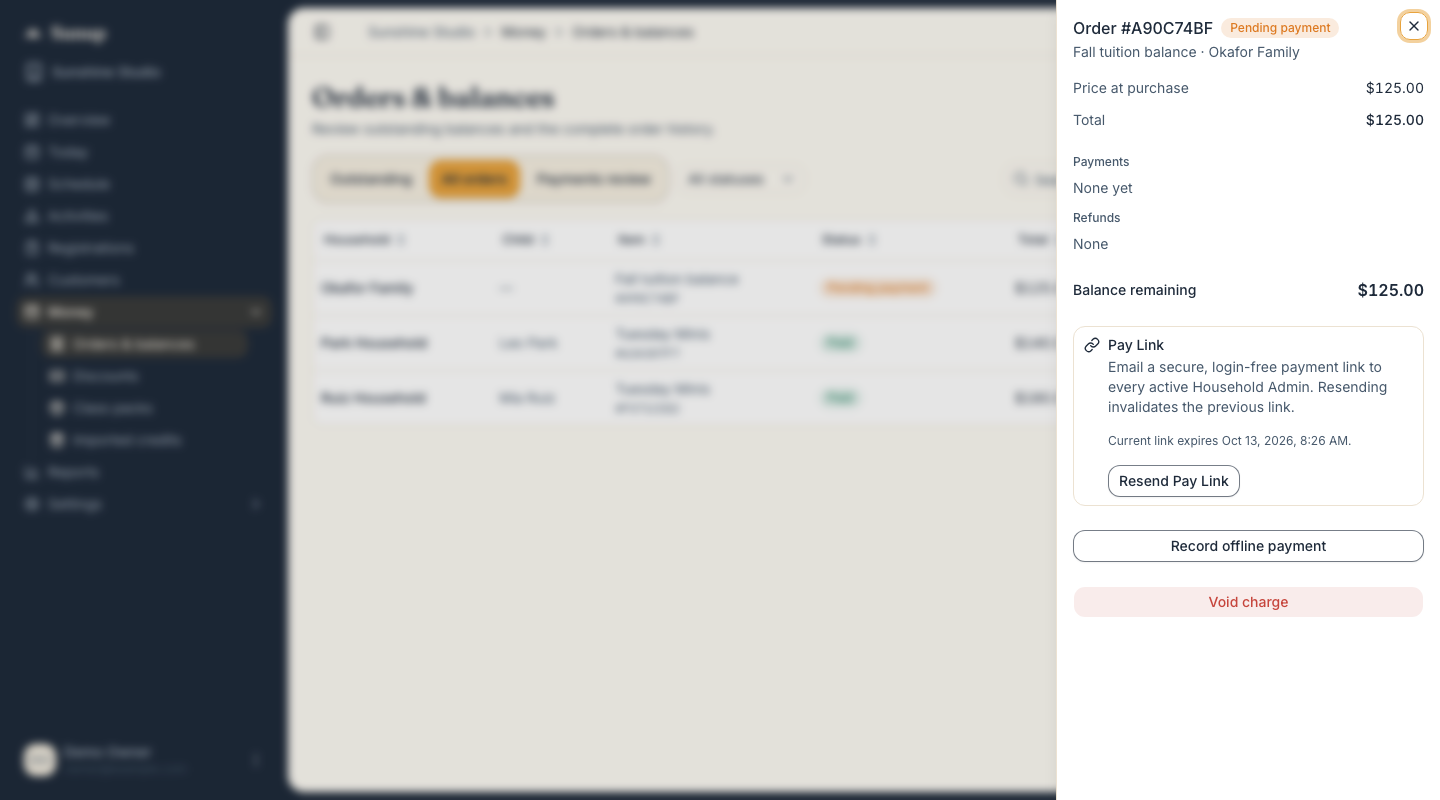
Stripe checkout into your own account. You are the merchant of record, and families never pay a booking fee.Stripe checkout, settling into your own Stripe account. You are the merchant of record, card details never touch Sunup, and families never pay a booking fee.
- Orders and balances, with receipts sent automatically
- A pay link with a QR code for paying in person, and “new charge” for anything at all
- Record cash or a check; refund to the card or as household credit
- Discount codes, class packs, household credit, and gift cards — sold online or at the counter
- Gift cards are emailed to the recipient and redeemed by the family or by staff
Parties and private events.
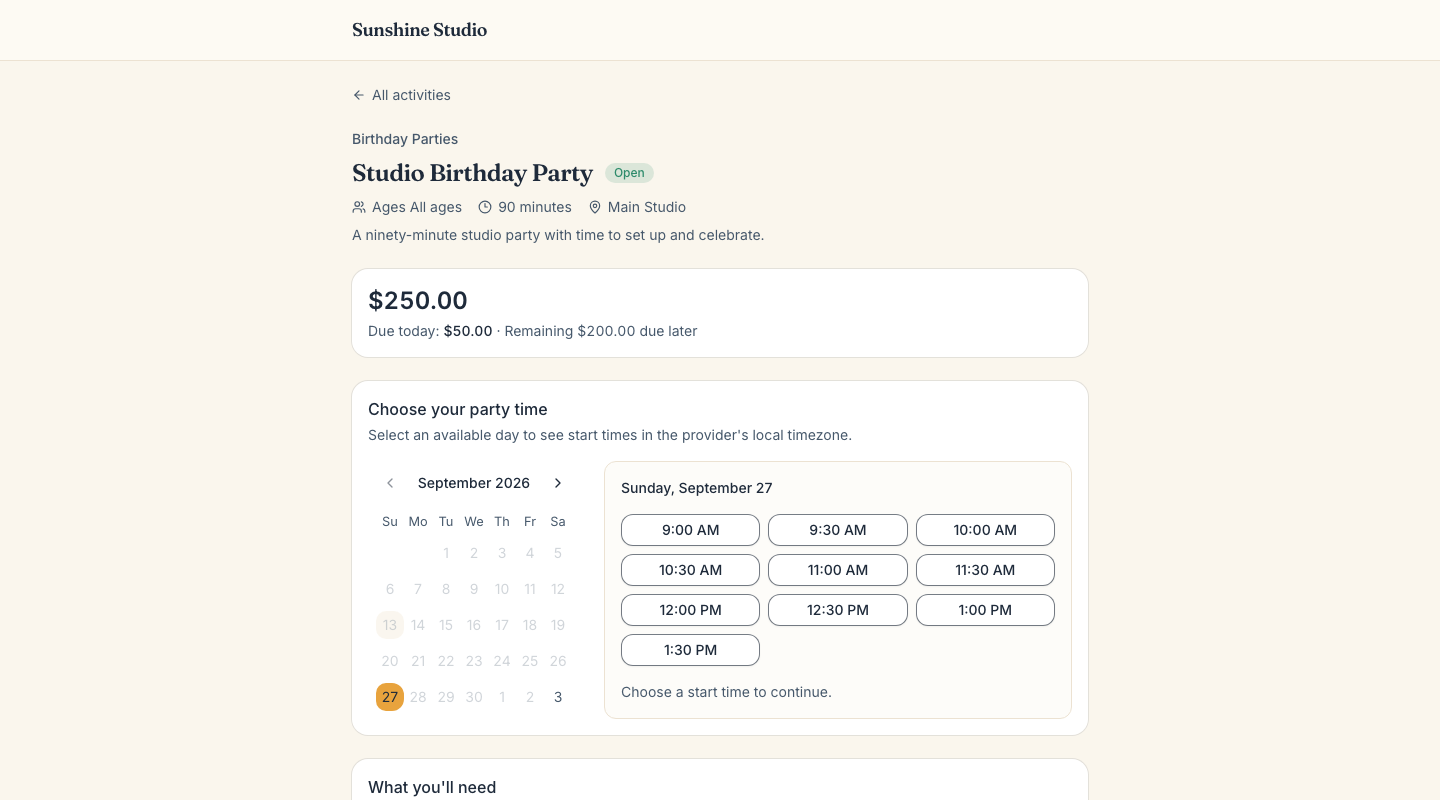
Build a package once and let families pick a day and a start time inside the hours you want to work.Build a package once and let families pick a day and a start time inside the hours you actually want to work.
- Packages with availability windows, setup and cleanup buffers, and start-time intervals
- Lead time, a deposit, and a contract, agreed before the date is held
- Families pick a day and a start time from what you have actually left open
- Block a day for the whole location when you need it back
The reports.
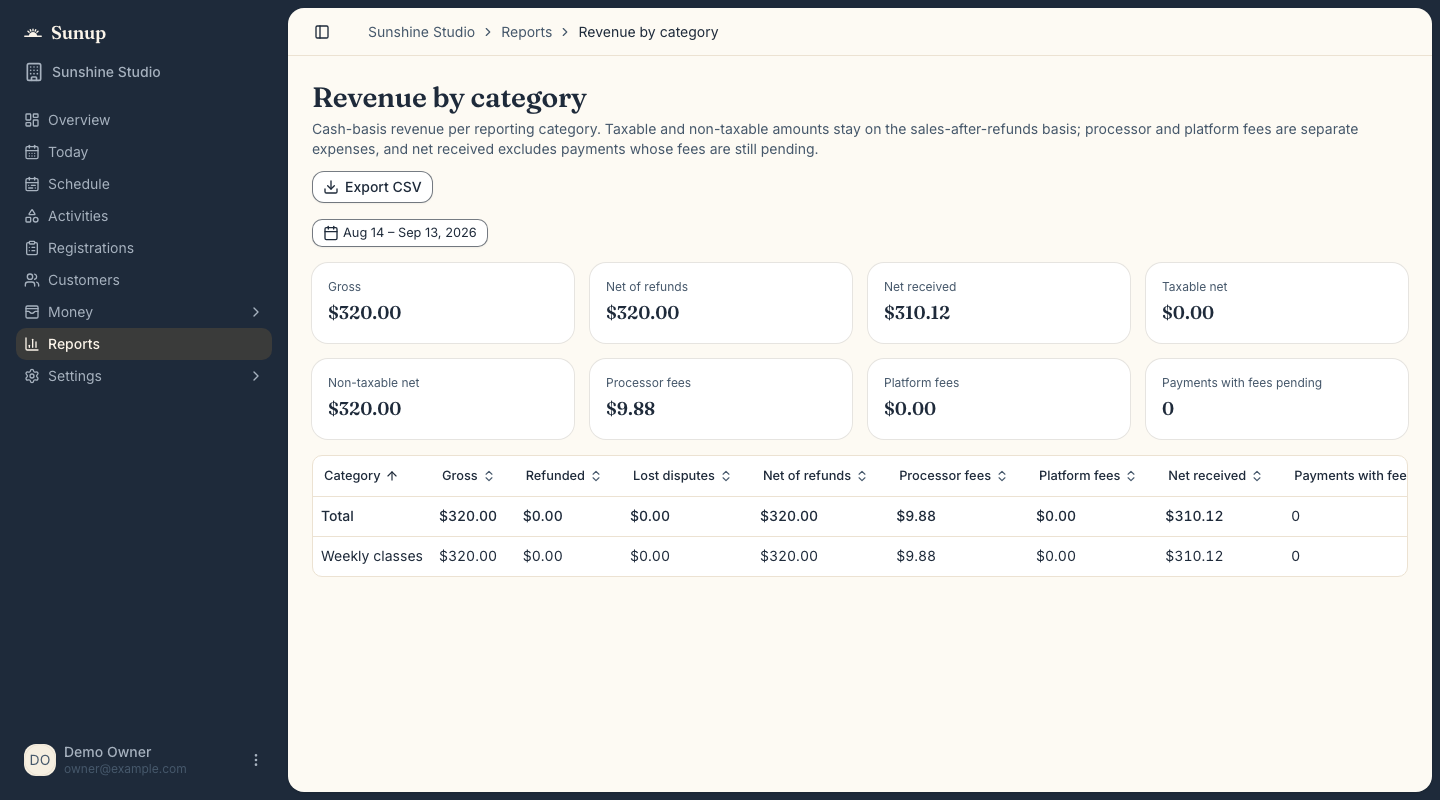
Enough to answer your bookkeeper, and enough to know which programs are worth running again.Enough to answer your bookkeeper, and enough to know which programs are worth running again.
- Revenue, and revenue by category with the taxable split and Stripe fees
- Outstanding balances, customers, refunds and credits
- Enrollments, attendance, waitlist, staff schedule, and requirements status
- CSV on every report, for your bookkeeper or your own spreadsheet
- An audit log, because history should be checkable
Run one week on it.
Every part of the week you just read about, free for thirty days.